In AppV 5.0 you can overwrite the default configuration (Appxmanifest.xml in the .appv file) with two external files called DeploymentConfig.xml and UserConfig.xml. At times I would observe strange characters in these two files.
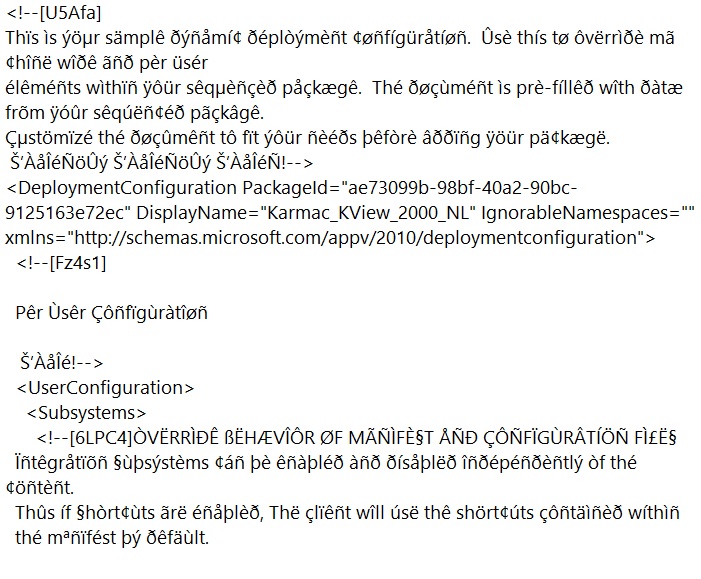
See the picture below for an example of a file containing these strange characters:
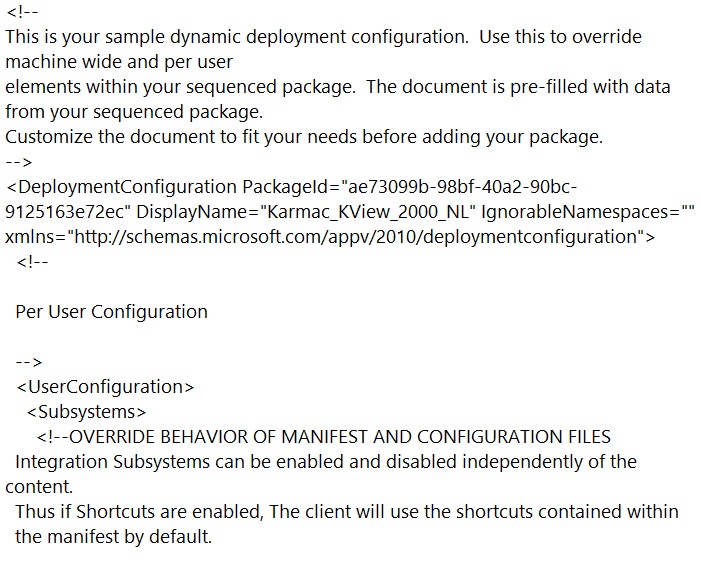
The files should look like this:
Today I pinpointed the cause. The strange characters only appear in the files if they are created through a localized version of the sequencer. In my case I have a Windows 7 virtual machine with an english version of the operating system but with a dutch MUI pack installed. The regional settings are set to have dutch menu’s as requested by our customer. This causes the sequencer to have a dutch GUI as well. As soon as a sequence is saved through the dutch localized version of the sequencer the files have strange characters. On a second Windows 7 virtual machine without a dutch MUI pack (or regional settings altered to allow for english menu’s) I edited the sequence and saved it without changing anything. The files had no strange characters in them. As soon as I edited the sequence on the virtual machine with the dutch MUI pack and saved again the strange characters were back.
Mind you. I have only tested this with a dutch localized version of the sequencer but I am fairly certain this problem exists in all localized versions of the sequencer.

Leave a Reply